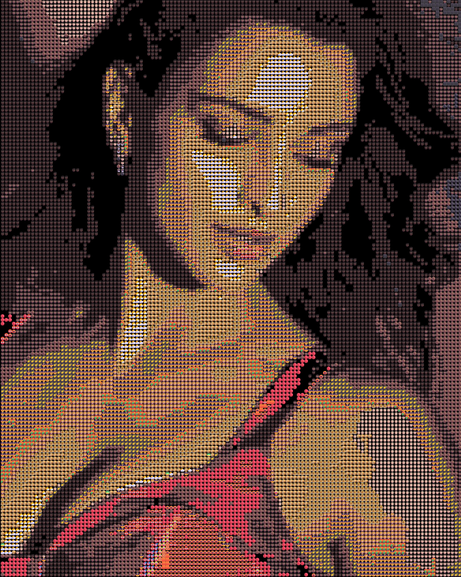
Before & after examples
Real conversions made with this tool, shown at default settings.
Portrait, Grid mode, 7px analysis window
How to use Emoji Mosaic
Four steps, all running locally in your browser tab. Nothing is uploaded anywhere.
1
Upload a photo
Drag a JPG, PNG, or WEBP into the drop zone, or click it to browse your files. The image stays on your device — it's read directly into your browser's memory and never sent to a server.
2
Pick a display mode
Grid lines emoji up in a clean rows-and-columns layout for the sharpest detail. Mosaic adds a slight random offset and rotation to each emoji for a hand-placed, organic feel. Chart scales each emoji by brightness, so light areas use larger emoji and shadows shrink down — closer to a halftone print effect.
3
Adjust detail and tolerance
Analysis Window controls how big a block of pixels gets averaged into one emoji — lower values (5–7px) capture fine detail like eyes and edges; higher values (15px+) render faster and look bolder from a distance. Match Tolerance controls how strict the color matching is — low tolerance keeps colors accurate, high tolerance allows more emoji variety even if the match isn't perfect.
4
Download your mosaic
Once you're happy with the preview, click Download Image to save a PNG at full resolution. For large prints, bump Output Emoji Size up to 20–40px before downloading — this increases the final pixel dimensions.
Use high-contrast imagesClear subjects on simple backgrounds produce the sharpest mosaics.
Crop tightly firstA face or single object reads far better than a busy scene.
Lower window = more detailAnalysis window 5–7px gives fine detail. 10–15px is faster and bolder.
Raise output size for printBump emoji size to 20–40px before downloading for large formats.
Tolerance controls varietyLow = accurate colors. High = playful mix of many different emojis.
Try all three modesGrid is sharpest. Mosaic feels hand-laid. Chart maps brightness to size.
Disclaimer
Use of photos: You are responsible for the images you upload. Only use photos you own or have explicit permission to use. This tool does not store, transmit, or review uploaded images — all processing happens locally in your browser — so we have no ability to moderate content, which means the responsibility for appropriate use rests entirely with you.
No warranty: This tool is provided "as is" with no guarantee of accuracy, availability, or fitness for a particular purpose, including print production. Colors may render differently across devices due to differences in emoji fonts between operating systems.
Emoji trademarks: Emoji glyphs displayed are rendered by your device's operating system and are the property of their respective platform owners (Apple, Google, Microsoft, etc.). This tool does not redistribute or license emoji assets — it only arranges your device's existing system emoji into a pattern.
No liability: We are not liable for any loss or damage arising from use of this tool, including but not limited to lost files, incorrect output, or downstream use of generated images.